• Skip to primary navigation
  • Skip to main content

MICROSOFT OFFICE SHORT COURSES

PowerPoint 2016 - Intermediate to Advanced

skills development
Introduction Course Overview Duration Delivery Method Who Should Attend Prerequisites Course Content The Secret to Success
Introduction

Course Overview
Course Overview

Meetings, instruction, training, pitches; these are all a part of our daily lives. We are often called upon to deliver presentations with little notice, at multiple venues, and with varying requirements. And, some of these presentations include sensitive information that needs to be guarded. Given all the variables, it may seem an overwhelming task to deliver your content, on time, to all audiences, and to only those who need to see it. Oh, and by the way, you need to make it interesting, informative, and memorable. So, how do you do it? Without the help of a robust set of tools, it would be nearly impossible. But Microsoft® Office PowerPoint® 2016 provides you with a variety of such tools that can help you deliver content in nearly any situation, while saving time and effort. By taking advantage of these tools, you will be creating presentations that not only stand out from the crowd, but also don't consume all of your available time.

You can also use the course to prepare for the Microsoft Office Specialist (MOS) Certification exam for Microsoft PowerPoint 2016.

Duration
Duration

6 Hours. Training times can be arranged in more manageable sessions of 3 hours over 2 days.

Delivery Method
Delivery Method

Training times can be arranged according to your date and times requirements, delivered virtually or on-site at your premises by one of our professional facilitators. Alternatively, you can join a virtual public course by clicking on the Register Now button.

Who Should Attend
Who Should Attend

This course is designed for students who wish to gain a foundational understanding of Microsoft PowerPoint 2016 that is necessary to create and develop engaging multimedia presentations.

Prerequisites
Prerequisites

To ensure success, students should be familiar with using personal computers, and should have experience using a keyboard and mouse. Students should be comfortable in the Windows® 10 environment and be able to use Windows 10 to manage information on their computers. Specific tasks the students should be able to perform include: launching and closing applications, navigating basic file structures, and managing files and folders. To meet this prerequisite, you can take either of the following Logical Operations courses:

  • Using Microsoft® Windows® 10
  • Microsoft® Windows® 10: Transition from Windows® 8
Course Content
Course Content

1. Modifying the PowerPoint Environment

  • Customize the user interface
  • Set PowerPoint 2016 options

2.Customizing Design Templates

  • Modify slide masters and slide layouts
  • Add headers and footers
  • Modify the notes master and the handout master

3. Adding SmartArt and Math Equations to a Presentation

  • Create SmartArt
  • Modify SmartArt
  • Write math equations

4. Working with Media and Animations

  • Add audio to a presentation
  • Add video to a presentation
  • Customize animations and transitions

5. Collaborating on a Presentation

  • Review a presentation
  • Store and share presentations on the Web

6. Customizing a Slide Show

  • Annotate a presentation
  • Set up a slide show
  • Create a custom slide show
  • Add hyperlinks and action buttons
  • Record a presentation

7. Securing and Distributing a Presentation

  • Secure a presentation
  • Broadcast a slide show
  • Create a video or a CD
The Secret to Success

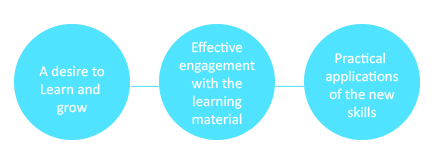
Short courses are an easy and effective way to upskill your people. This enables them to apply their new knowledge in your workplace immediately.

Knowing the learning and development needs
Choosing the right content and level
Matching a trainer to your company culture
Obtaining feedback at relevant intervals
ENQUIRE NOW
Short Courses

Business Skills

Developing Positive Assertiveness

CBP - Business Etiquette

CBP - Conflict Management

CBP - Dynamic Decision Making

Emotional Intelligence

Interpersonal Skills

Time Management

Telephone Courtesy and Customer Services

Communications

Business Communication

Business Writing Skills

Effective Presentation Skills

English Grammar for Business

Presentation Skills

Leadership

CBP - Leadership

CBP - Leading Through Change

Leadership Skills for Women Achieving Impact as a Manager

Women in Leadership

Management

CBP – Business Management

CBP – Motivating Employees To Be Their Best

CBP – Secrets to Management Success

Performance Management

Finance for Non-financial Managers

Managing your Teams in a Remote or Virtual Environment

Microsoft Office

Word 2016 - Beginner

Word 2016 - Intermediate

Word 2016 - Advanced

Excel 2016 - Beginner

Excel 2016 - Intermediate

Excel 2016 - Advanced

PowerPoint 2016 - Beginner

PowerPoint 2016 - Intermediate to Advanced

Outlook 2016 - Beginner

Outlook 2016 - Intermediate

Access 2016 - Beginner

Access 2016 - Intermediate

Access 2016 - Advanced

Publisher 2016

Visio 2016 - Beginner

Visio 2016 - Intermediate

Project 2016 - Beginner

Project 2016 - Intermediate

Money Management

WealthyMe

WealthyCouples


Project Management

CBP - Project Management

Project Management Fundamentals

Project 2016 - Beginner

Project 2016 - Intermediate

Sales and Marketing

Customer Service

Negotiation skills

Sales

SHORT COURSE BENEFITS

Benefits of iLearn Short Courses

RELATED COURSES

Powerpoint 2016 - Beginner Short Course

PowerPoint 2016 – Beginner

About Us

iLearn is a national learning solutions company that works together with forward-thinking companies to grow their people and their business. We specialise in digital and accredited learning programmes that create continuous and purposeful learning environments within organisations.

Careers
Privacy Policy / POPI

Recent Post

5 Signs Your Team Needs an EQ Boost!

Education as Mandela’s Legacy: How Learning Shapes South Africa’s Future

Shaping South Africa’s Future, One Learner at a Time

Find Us

Tel:  0861 ILEARN

Johannesburg

Cape Town

Durban

Port Elizabeth

Follow Us

© 2025 iLearn | All Rights Reserved | Privacy Policy

Are you a Learner wanting to join a Learnership?
Read more

Are you a Learner wanting to join a Learnership? Click here

Are you a Learner wanting to join a Learnership?
Read more

How to get more B-BBEE points for less
5 reasons Business Skills have become more important
How to manage retrenchments responsibly

Are you a Learner wanting to join a Learnership?

Are you a Company needing more info?

We’ve updated our Privacy Policy to better reflect how we collect, use and share your information.